DFS Bankroll Tracker

Know exactly how your DFS is going — across every site

THE SOLVER Bankroll Tracker pulls your DraftKings, FanDuel, and Yahoo results into one dashboard — profit, ROI, finish positions, and head-to-head records, sliced any way you want.

Free with a SOLVER account. One-click sync via our Chrome extension — no spreadsheets, no manual entry.

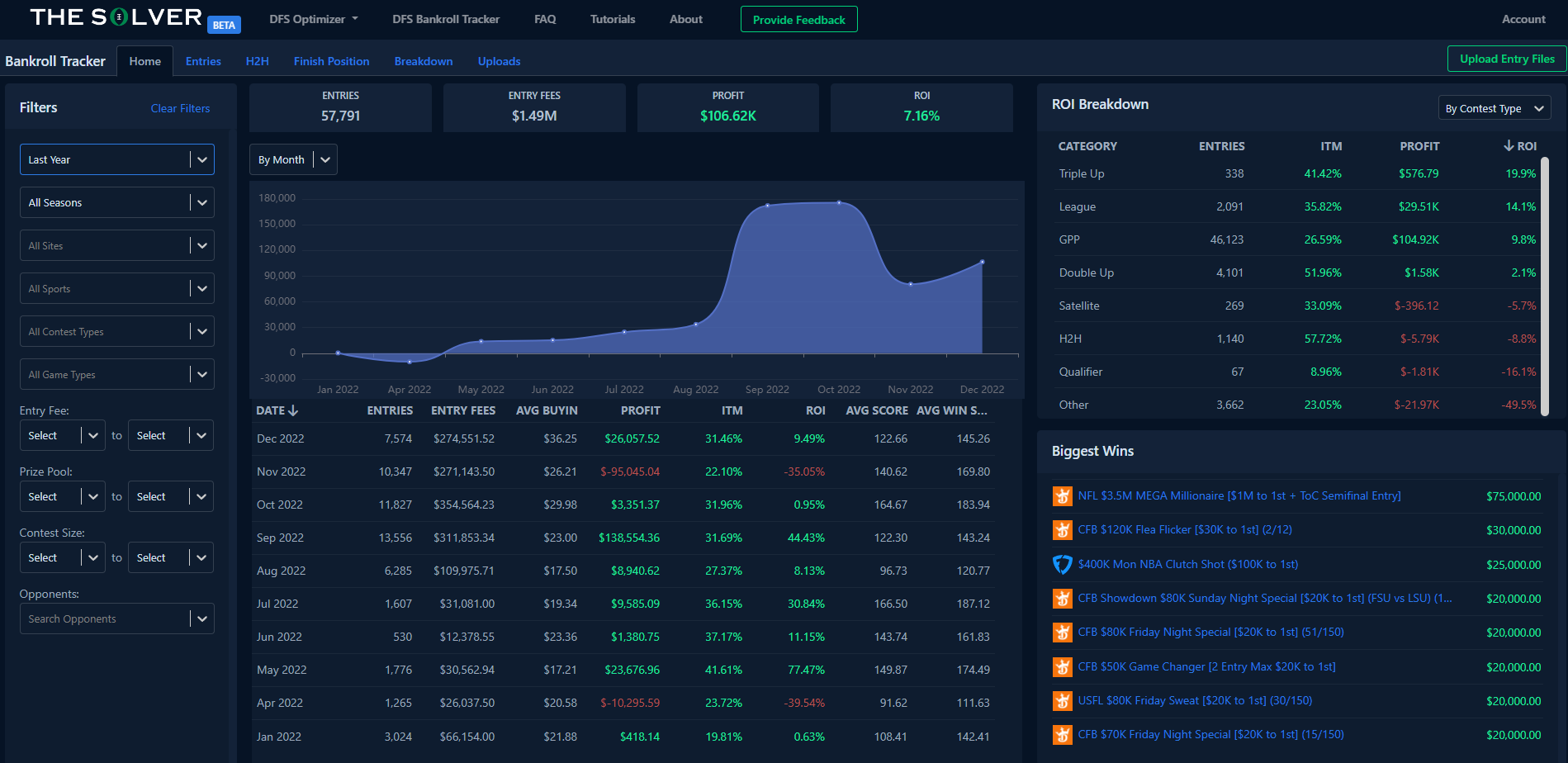
THE SOLVER DFS Bankroll Tracker dashboard showing entries, profit, ROI breakdown by contest type, and biggest wins

What can the Bankroll Tracker do?

Serious DFS players treat their results like data. The Tracker does the collecting and the math for you.

Every result, one dashboard

Total entries, entry fees, profit, and ROI at a glance — plus your profit over time and your biggest wins, across every site you play.

Sync in one click

Our Chrome extension imports your full DraftKings, FanDuel, and Yahoo contest history automatically. SuperDraft and Draftstars import via entry-file upload.

Slice your results any way

Filter by date, season, site, sport, contest type, game type, entry fee, prize pool, contest size — even a specific opponent.

From scattered results to a clear picture

1

Sync your history

Install THE SOLVER Chrome extension and sync DraftKings, FanDuel, and Yahoo in one click — including years of past results. SuperDraft and Draftstars import via entry-file upload.

2

Filter to what matters

Narrow your results to any slice of your play: a single sport, GPPs only, a range of entry fees, one season, one site — or all of it at once.

3

Find your edge

Read your ROI breakdown by contest type, study your finish-position distribution, and check your head-to-head record against specific opponents.

You can’t fix leaks you can’t see. The Tracker turns your contest history into answers about where you actually make money.

Know your game

Find where you actually make money

Your gut says you're good at showdowns. Your data knows.

  • ROI breakdown by contest type, sport, site, or game type
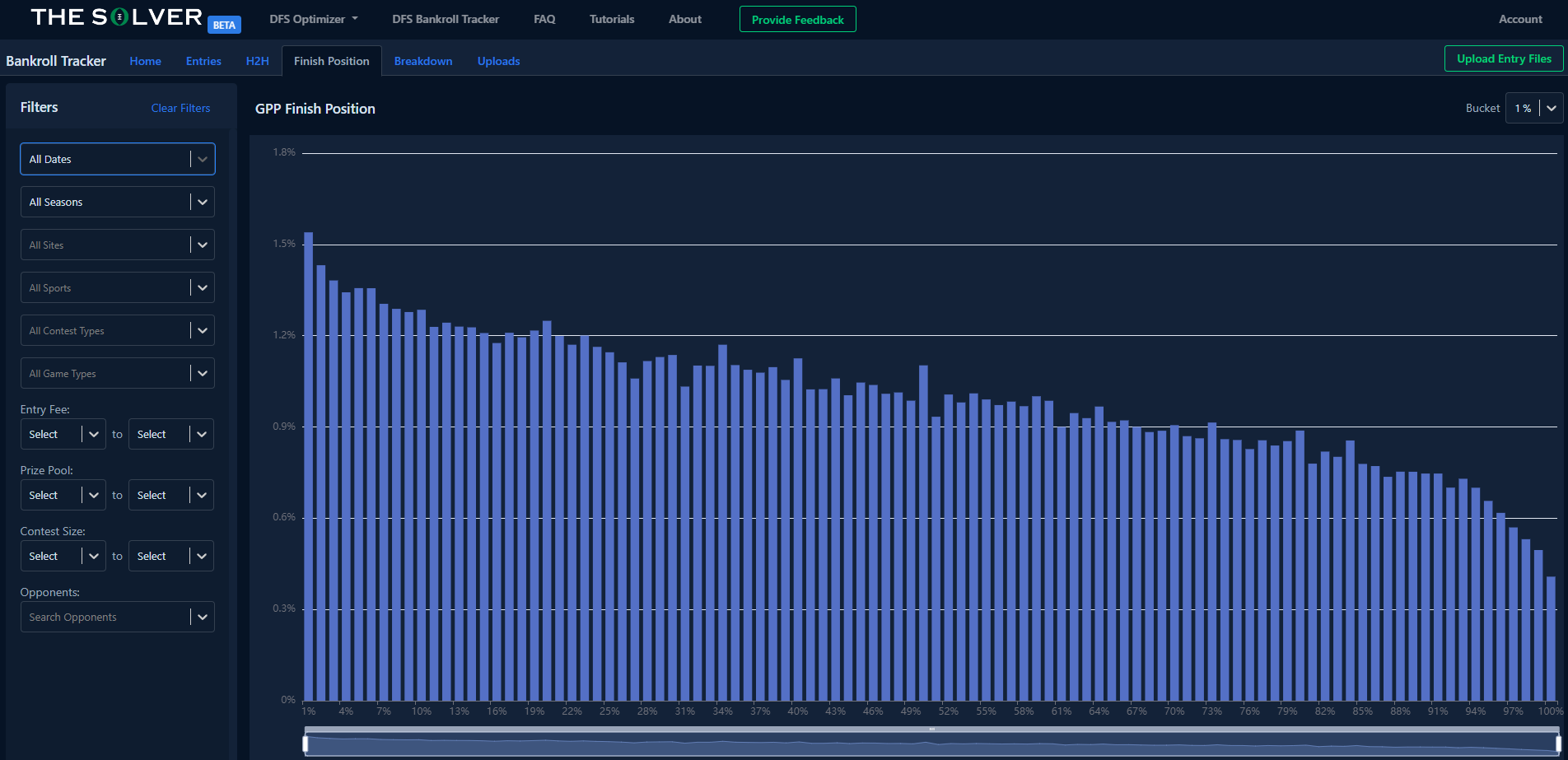
  • Finish-position distribution for your GPPs, with adjustable buckets
  • Head-to-head records against specific opponents
  • Drill into any single entry to see the full contest detail

Free with a SOLVER account

THE SOLVER Bankroll Tracker finish-position chart showing GPP finish distribution with filters
No manual entry

Your full history, synced in one click

Stop copying results into a spreadsheet after every slate.

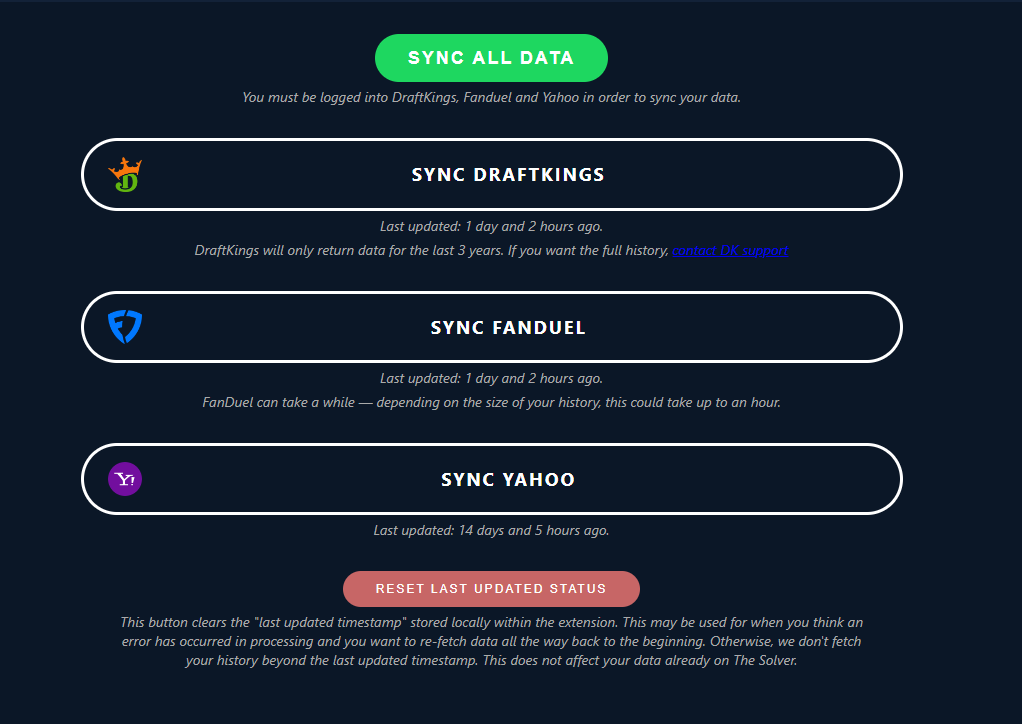
  • Chrome extension syncs DraftKings, FanDuel, and Yahoo automatically
  • Imports years of contest history, not just recent slates
  • Re-sync anytime to pull in your latest results
  • SuperDraft and Draftstars supported via entry-file upload

Free with a SOLVER account

THE SOLVER Chrome extension syncing DraftKings, FanDuel, and Yahoo contest results in one click

Where it works

DraftKingsFanDuelYahooSuperDraftDraftstarsAll sports

One-click Chrome extension sync for DraftKings, FanDuel, and Yahoo; entry-file uploads for SuperDraft and Draftstars. Every sport you play on those sites lands in the same dashboard.

Read the setup tutorial →

Tracker + the rest of THE SOLVER

The Tracker shows you where you win; the Optimizer builds your lineups and the Simulator tests them before you enter. Many players use the Tracker to decide which contests deserve more of their bankroll.

Explore the DFS Optimizer →

The price? Free.

The Bankroll Tracker is currently free — all you need is a SOLVER account, no credit card required. Sync your history, see your real ROI, and keep it forever.

Not sure which product you need? Take the 2-question finder →

Common questions

THE SOLVER DFS Bankroll Tracker is a free daily fantasy sports results tracker that imports your contest history from DraftKings, FanDuel, and Yahoo with a one-click Chrome extension sync (SuperDraft and Draftstars via entry-file upload), then shows your profit, ROI, and finish positions across every sport, site, and contest type. Filter by date, entry fee, game type, or even a specific opponent to find where you make money — and where you leak it. Free with a SOLVER account.

Read the full FAQ →